Wealthbuilderz | November 2026
Affiliate disclosure: As an Amazon Associate I earn from qualifying purchases. This article contains affiliate links, and we may receive a commission when you purchase through them at no additional cost to you.
Your Home Office Should Help You Build Your Business
Starting a business from home is more accessible than ever. Whether you’re operating an online store, providing consulting services, managing freelance clients, or creating digital content, your workspace plays a role in how efficiently you operate.
But there’s a common mistake many entrepreneurs make: spending money on equipment without identifying the problems that equipment needs to solve.
A productive home office doesn’t necessarily require expensive furniture, multiple monitors, or the latest technology.
It requires practical tools that support your workflow.
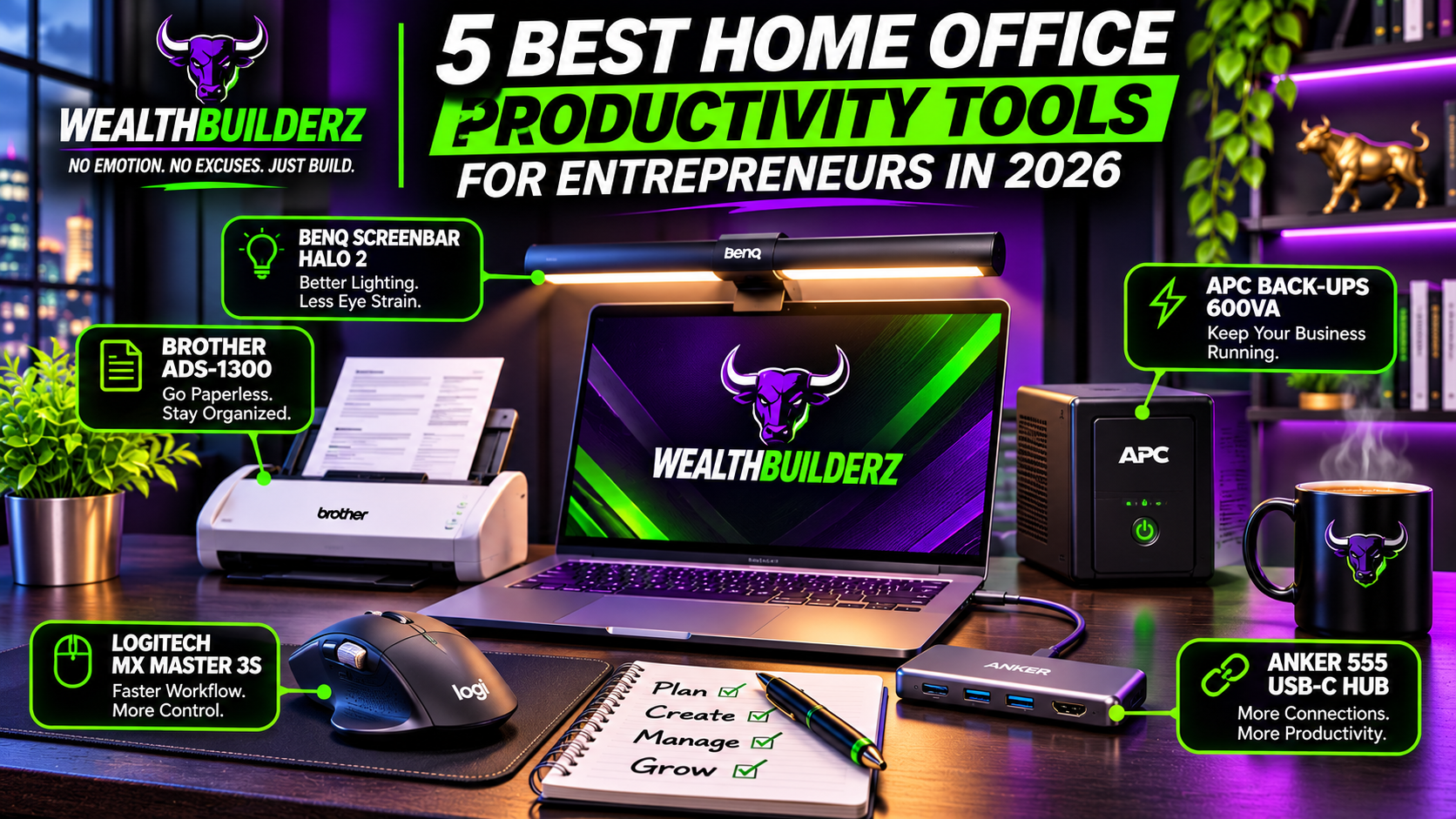
Today, Wealthbuilderz is examining five home office products that could help you manage tasks, organize information, connect equipment, and protect your business operations.
These recommendations are based on manufacturer specifications and practical business applications. The products have not been independently tested by Wealthbuilderz.
Quick Comparison: Our Five Picks
| Product | Best for |
|---|---|
| Logitech MX Master 3S | Navigation and multitasking |
| Anker 555 USB-C Hub | Laptop connectivity |
| BenQ ScreenBar Halo 2 | Desktop lighting |
| Brother ADS-1300 Scanner | Document organization |
| APC Back-UPS 600VA | Short-term power backup |
1. Logitech MX Master 3S — Best for Everyday Productivity

When you’re running a business, you spend a surprising amount of time navigating spreadsheets, switching applications, responding to emails, and managing digital files.
A capable mouse can make those repetitive actions more convenient.
The Logitech MX Master 3S is a wireless productivity mouse featuring customizable buttons, quiet-click technology, high-precision tracking, and an electromagnetic scroll wheel.
Its sensor supports sensitivity settings up to 8,000 DPI, and the standard model offers Bluetooth and Logi Bolt receiver connectivity.
What we like
- Programmable buttons for frequently used actions
- Fast scrolling for long documents and spreadsheets
- Quiet-click design
- Rechargeable battery
- Support for multiple connected devices
- Customization through Logi Options+ on supported systems
What to consider
The MX Master 3S is more expensive than a basic wireless mouse.
Its shape is designed primarily for right-handed use, and some advanced customization features require compatible software.
If you only occasionally use a computer, a lower-cost mouse may be sufficient.
Who should consider it?
Entrepreneurs regularly working with spreadsheets, business documents, multiple applications, or creative software.
Wealthbuilderz verdict: Worth considering when computer navigation and repetitive tasks are a major part of your daily workflow.
Check the Logitech MX Master 3S on Amazon
2. Anker 555 USB-C Hub — Best for Expanding Your Laptop’s Connections

Many entrepreneurs work primarily from laptops.
The challenge is that modern laptops sometimes provide fewer connections than their users need.
You might have an external monitor, keyboard, storage device, Ethernet cable, and other peripherals competing for limited ports.
The Anker 555 USB-C Hub offers an eight-in-one connectivity solution.
It includes HDMI output supporting up to 4K at 60Hz, USB-A and USB-C data connections, Gigabit Ethernet, and SD and microSD card slots.
It also supports up to 100W USB-C power input, reserving approximately 15W for its own operation.
What we like
- Multiple connections from one USB-C port
- HDMI support for an external display
- Wired Ethernet connection
- Fast USB data transfer
- Memory card readers
- Compact, portable design
What to consider
Your laptop must support the necessary USB-C display and data capabilities.
The power adapter is not included, and the hub’s charging capability does not mean every laptop will receive its maximum rated charging power.
Also, if your computer already has sufficient ports, you may not need an additional hub.
Who should consider it?
Entrepreneurs using laptops for presentations, digital marketing, video editing, online meetings, and general business administration.
Wealthbuilderz verdict: A practical accessory for turning a compatible laptop into a more capable desk workstation.
Check the Anker 555 USB-C Hub on Amazon
3. BenQ ScreenBar Halo 2 — Best for Improving Desktop Lighting

Lighting is often overlooked when setting up a home office.
A poorly arranged workspace can create distracting reflections, uneven desk lighting, or excessive contrast between a bright monitor and its surroundings.
The BenQ ScreenBar Halo 2 is a monitor-mounted lighting system designed to illuminate the workspace without occupying valuable desk space.
It combines front task lighting with rear ambient lighting and offers adjustable brightness and color temperature.
The system also features a wireless controller and automatic lighting functions.
What we like
- Saves desk space compared with traditional table lamps
- Adjustable front and back lighting
- Wireless lighting controls
- Designed to minimize monitor reflections
- Compatibility with many flat and curved displays
- Useful for evening workspaces
What to consider
This is a premium lighting accessory rather than a basic necessity.
A properly positioned, inexpensive desk lamp may provide adequate lighting for considerably less money.
You should also check your monitor’s thickness and shape before purchasing.
Who should consider it?
Business owners who spend long hours at their desks, especially in rooms where lighting is uneven or difficult to adjust.
Wealthbuilderz verdict: A potential workspace upgrade, but not something a new entrepreneur needs to prioritize over essential business equipment.
Check the BenQ ScreenBar Halo 2 on Amazon
4. Brother ADS-1300 — Best for Organizing Business Documents

Receipts, invoices, vendor paperwork, contracts, and other documents can quickly accumulate when you’re operating a business.
Keeping these documents organized is important for administrative efficiency, expense tracking, and record retention.
The Brother ADS-1300 is a compact desktop scanner designed to convert paper documents into digital files.
It provides single-pass double-sided scanning, a 20-page automatic document feeder, and advertised scanning speeds of up to 30 pages per minute under specified conditions.
The scanner connects directly to a computer through USB and can work with supported document-management software.
What we like
- Compact desktop design
- Automatic document feeder
- Duplex scanning
- Supports PDFs and other common file formats
- Useful for reducing paper storage
- Can digitize invoices, contracts, and receipts
What to consider
The ADS-1300 is primarily a USB-connected device, not a standalone wireless network scanner.
Entrepreneurs with very little paperwork may find a smartphone scanning application sufficient.
Digitizing documents also does not eliminate the need to follow applicable record-retention and privacy requirements.
Who should consider it?
Consultants, service businesses, real estate professionals, bookkeeping-intensive businesses, and entrepreneurs handling substantial paperwork.
Wealthbuilderz verdict: A useful investment when organizing paper documents becomes a recurring operational burden.
Check the Brother ADS-1300 on Amazon
5. APC Back-UPS 600VA — Best for Basic Power Protection

Imagine working on an important proposal, financial document, or customer project when the power suddenly goes out.
A power interruption can shut down equipment unexpectedly.
For businesses relying on desktop computers and network hardware, a battery backup can provide an opportunity to save work and shut down safely.
The APC Back-UPS BE600M1 is rated at 600VA and 330 watts.
It includes seven electrical outlets, five with battery backup and surge protection, and two with surge protection only. It also includes a USB charging port.
What we like
- Temporary battery power during an outage
- Surge protection
- Multiple electrical outlets
- Compact design
- Replaceable battery
- Helpful for basic desktop and networking equipment
What to consider
A 600VA UPS is not designed to run high-power equipment for extended periods.
Actual battery runtime depends on the connected electrical load, battery condition, and other factors.
It also cannot guarantee that your internet service will remain operational during an outage.
Confirm your equipment’s wattage requirements and choose an appropriately sized UPS.
Who should consider it?
Entrepreneurs using desktop computers, networking equipment, or other devices that benefit from a controlled shutdown during power interruptions.
Wealthbuilderz verdict: One of the more practical risk-management purchases for a home-based business, provided the unit is correctly sized.
Check the APC Back-UPS 600VA on Amazon
Which Home Office Tool Should You Buy First?
Here’s how we’d prioritize these purchases based on the problem you need to solve.
| Your business problem | Product to consider |
|---|---|
| Slow computer navigation | Logitech MX Master 3S |
| Not enough laptop ports | Anker 555 USB-C Hub |
| Poor desktop lighting | BenQ ScreenBar Halo 2 |
| Too much paperwork | Brother ADS-1300 |
| Unexpected power interruptions | APC Back-UPS 600VA |
There’s no reason to buy all five unless they genuinely meet your business needs.
Instead, identify the biggest source of friction in your current workflow and address that first.
Three Questions to Ask Before Buying Business Equipment
1. Does this product solve a real problem?
Don’t buy equipment simply because it’s popular or marketed toward entrepreneurs.
Identify the specific process, inconvenience, or risk you want to address.
2. Will I use it consistently?
An expensive tool you rarely use can become a poor allocation of your business budget.
Think about how frequently the product will support your work.
3. Is there a less expensive alternative?
Sometimes the best business decision is to keep using your existing equipment.
For example, you may not need a dedicated scanner if you only scan a few documents each month.
The goal isn’t to own more equipment. It’s to operate more effectively.
Frequently Asked Questions
What equipment do I really need to start a home business?
For many online and service-based businesses, a reliable computer, internet connection, communication tools, and appropriate software are sufficient to begin.
Additional equipment should depend on the type of business you’re operating.
Can home office equipment improve productivity?
The right equipment may reduce repetitive tasks, simplify setup, improve organization, or reduce certain operational risks. Results depend on your actual workflow.
Should I invest in expensive office equipment when starting a business?
Generally, prioritize equipment necessary to deliver your product or service.
Nice-to-have accessories can come later, once you understand your business’s requirements and budget.
Are these tools useful for side hustles?
Yes, depending on the side hustle.
A freelance consultant may benefit from reliable laptop connections, while an online reseller may value better document scanning or shipping equipment.
Final Thoughts: Build a Workspace That Supports Your Goals
A productive home office doesn’t have to be expensive, complicated, or filled with the latest technology.
It should help you operate efficiently and concentrate on activities that move your business forward.
Before spending money, evaluate your current workflow. Look for the tools that solve meaningful problems, and avoid purchases that don’t support your objectives.
Wealth isn’t built by buying more stuff. It’s built by making intentional decisions with the resources you already have.
No emotion. No excuses. Just build.
— Wealthbuilderz
No responses yet